Coordinates 9.1.2 – Area and Trim

This update brings two powerful new tools to Coordinates: area measurement and custom coordinate trimming. Whether you’re working in the field or fine-tuning data output, this update makes your workflow faster and more flexible.

🔧 Trim Output, Your Way

Need to tailor how coordinates are shown? Now you can:

  • Set custom X/Y labels

  • Choose your preferred separator

  • Adjust decimal precision

  • Apply optional trimming from the end

A live terminal-style preview helps you dial in the exact format you want. And once you’ve got it right, the app remembers — no need to set it up again.


📐 Area Measurement with Closed Shapes

You can now measure area directly from distance pins:

  • Tap Close Shape to seal your measurement loop

  • The app will calculate the enclosed area

  • Choose between m², km², acres, or hectares

  • Distance and area results update instantly — even bearings and segment distances

If your shape intersects itself, we’ll show a warning so you know the area may be off.

We’ve now built a fully featured area and distance tool right into the Coordinates app — completely free.
If you just need quick and casual measurement, our dedicated Area & Distance app is still a great option.


✨ Fancified Export & Import – Now with IDE-style Syntax Highlighting

We just gave our coordinate export/import screen a serious glow-up.

No more walls of plain text—now when you paste or generate data like:
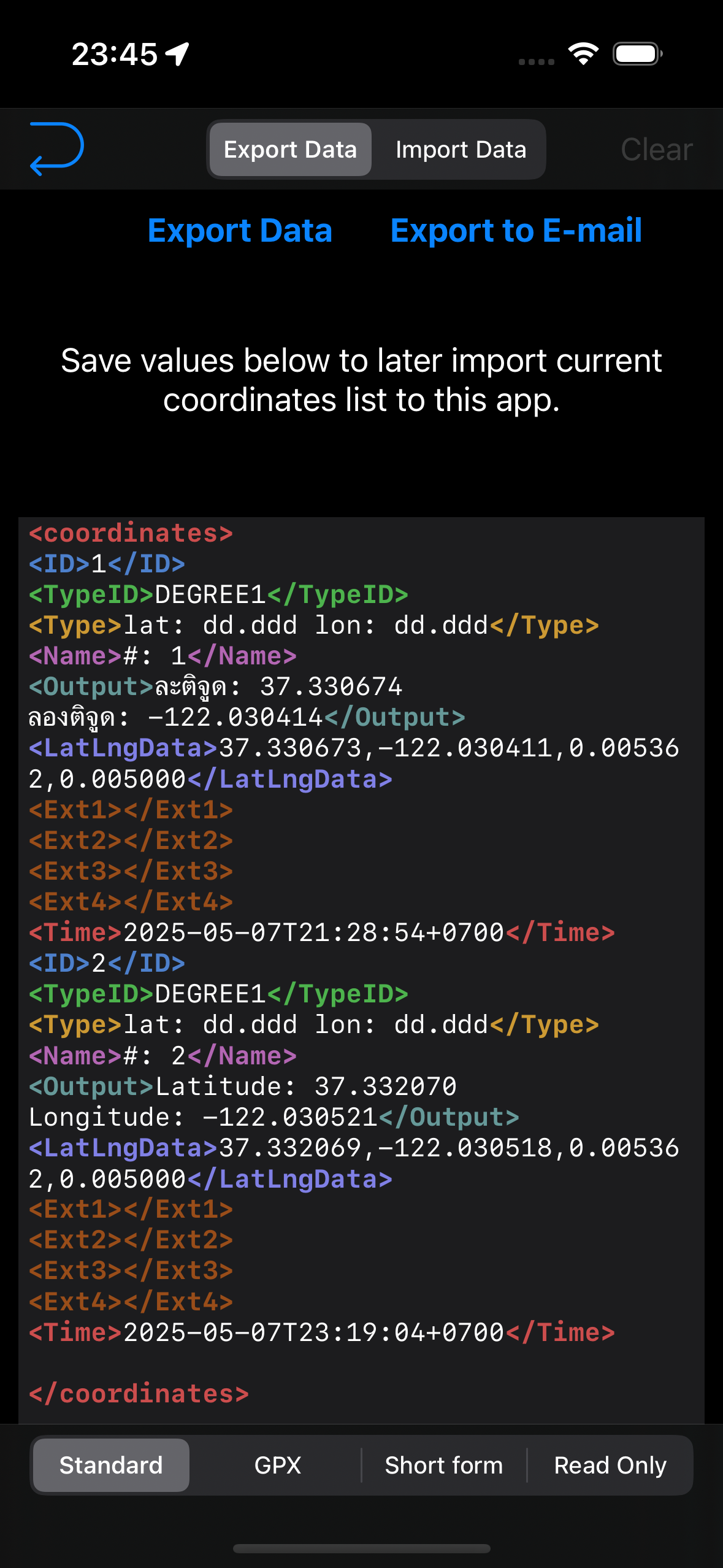


Each tag and attribute lights up in different colors, just like in your favorite code editor. <gpx>, <ext1>, <wpt> — all color-coded and easier to read at a glance.

🖋️ Supports:

  • Live syntax highlighting as you type

  • Dark mode compatibility

  • Shared color themes by tag prefix (e.g., <ext1> and <ext2> share the same style)

  • Copy-friendly formatting for your GPS or survey workflow

Whether you're exporting a quick pin list or re-importing from a GPX file, you’ll feel like you're editing clean code, not wrangling raw data.

More Small Improvements

  • Last segment distance updates correctly when closing shape

  • Undo removes the final segment and area cleanly

  • Smarter formatting for area results

  • Fixed picker display for dark mode

Got feedback or feature requests? Drop us a message from the Settings screen — we read everything.

🧭 Coordinates 9.1 — Precision Tools for Power Users

Just days after our biggest release ever, we’re back again — with a surprise follow-up update that adds one of the most powerful features to date. No waiting. No unlocks. It’s available to everyone right now.

🔧 Custom Grid Support (PROJ4)

Coordinates 9.1 introduces full support for user-defined coordinate systems, using the industry-standard PROJ4 format.

You can now:

  • Define your own projection with PROJ4 parameters

  • Set origin longitude/latitude, false easting/northing, scale, and rotation

  • Apply DX/DY/DZ/DA/DF adjustments

  • Choose between meters and feet

  • Save multiple configurations and reload them anytime

Whether you're working in surveying, mapping, or custom local grids — this feature puts full control in your hands.


🧠 Smart Entry with Live Preview

You don’t need to be a PROJ4 expert. Just fill out the guided form — we’ll build the string for you.

  • Real-time validation with helpful error messages

  • Live preview in a terminal-style text box

  • Tap to copy your PROJ string instantly

📂 Save & Manage Your Grids

  • Save custom projections with your own names

  • Manage and load them with one tap

  • Slots auto-rename to avoid overwrites


📥 Import Support with Safety Checks

Paste a PROJ4 string from anywhere — we’ll check if it’s editable:

  • ⚠️ Warnings for unsupported or read-only strings

  • 💡 Fillable fields if editable

  • 💾 Save anything, editable or not, for later use

✨ Visual Polish

  • Always-dark preview panel (even in light mode)

  • Inline number validation (no more mystery errors)

  • Optimized layout for smoother entry and review

📂 Where to Find It

You’ll find the new User Grid setup by going to:

Coordinates Format - Custom / User Grid (Proj.4) > Press Grid Button


or at
Action Menu > User Grid Setup


🚀 And More Coming Soon

This feature landed fast — but it’s just the beginning.

Got feedback? Let us know. We’re building Coordinates with you — one powerful update at a time.

✨Coordinates 9.0 — Our Biggest Update Yet

We’re thrilled to introduce Coordinates 9.0, a major milestone packed with powerful new features and improvements. Whether you're a casual map user or a serious geo-nerd, this update brings tools that make exploring, saving, and visualizing your location easier than ever.


🗺️ A Supercharged Map Button

In earlier versions, the map button simply cycled through three Apple Map styles — Standard, Satellite, and Hybrid. Functional, but limited.

In Coordinates 9.0, that same button now opens a powerful Tile Selector. You can now:

- Instantly switch between dozens of map styles

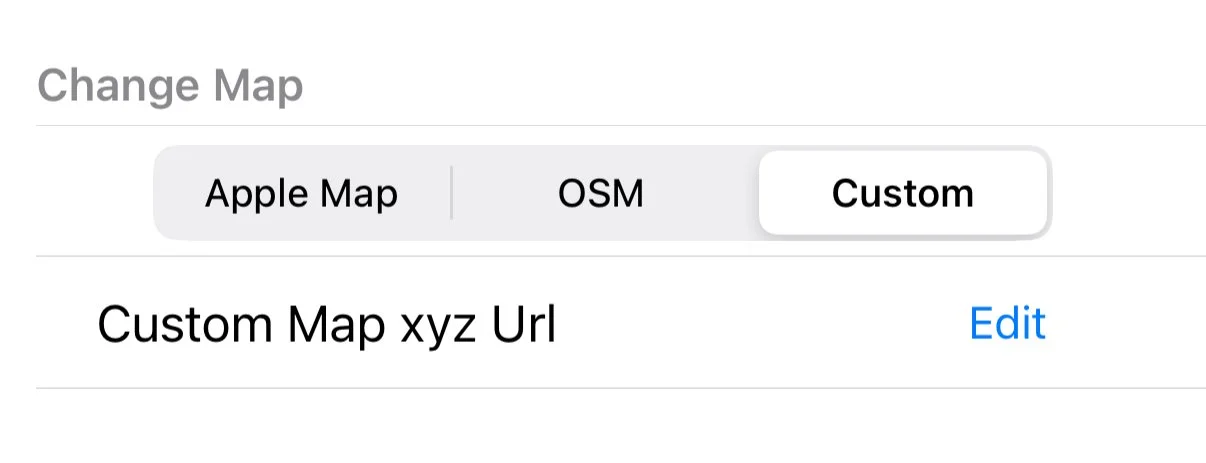
- Choose from OpenStreetMap, Google Map, offline tiles, or even custom tile servers

- Paste your own tile URL using {z}/{x}/{y} format

- Access remote tile styles configured via Firebase

From a simple toggle to a fully-featured map hub — your map, your way.


🌍 Offline Tiles — Navigate Without Internet

Whether you’re traveling, hiking, or in a low-signal area, offline maps are now fully supported.

You can:

- Download tiles for popular cities worldwide

- Define your own custom coordinate region

- Store everything locally and access it without internet

No connection? No problem.

🧪 Note: Experimental Feature

To use offline tiles, first enable it from Settings > Experimental Features.
⚠️ Please make a backup in the app before trying, as this feature is still under development and may change.


📍 Flexible Pin Display Options

Need more control over how your pins and labels look?

We've added a new button that lets you cycle through different map annotation styles:

- Classic iOS pin view (no clustering)

- Clean dot markers with or without titles

- Modern clustering mode for dense map regions

Whether you want simplicity, labels, or clarity — there's a style for you.


🛠 Other Improvements

- Bug fixes based on your feedback

- UI and performance tweaks across the board

- Improved support for custom tile and download behavior


🔙 In Case You Missed It: Labels in 8.6.0

Back in version 8.6.0, we introduced one of the most requested features: Map Labels!

You can now add text annotations directly to your map — perfect for giving context to pins, naming zones, or marking custom boundaries.

🆕 Highlights from 8.6.0:

- 📌 Add labels anywhere — name a zone, mark a boundary, or highlight a key location

- 🗂️ Works seamlessly alongside pins without clutter

- 👁️ Toggle visibility on/off to keep your map clean when needed

That update also included:

- Fixes for importing issues

- Resolved bugs affecting map loading and updates

- Full support on both iOS and Android


📥 Ready to Try?

Download the latest version from the App Store and explore what’s new in Coordinates 9.0.

Got feedback or feature ideas? We’re always listening — and already working on what’s next.


Coordinates April Update - 8.6.0

📍 Version 8.6.0 – New Label Feature Now Available!

We’re excited to introduce a powerful new feature in version 8.6.0 of the app: Map Labels!

🆕 What's New?

You can now add text labels to the map, just like how you place pins. This is perfect for marking regions, giving context to your pins, or organizing your map visually.

📌 Add labels anywhere – name a zone, mark a boundary, or highlight a key location.
🗂️ Works seamlessly alongside pins without clutter.
👁️ Easily toggle label visibility (show/hide) to keep your map clean when needed.

🛠 Also in This Update:

  • Fixed issue with importing data.

  • Resolved a bug affecting map loading and updates.

📱 Available on Both iOS and Android!

No matter what device you’re using, this update is ready for you.

Q2 2025

Hello!
It’s been a while since our last post, so here’s a quick update on what’s happened so far in 2025.

Coordinates

  • Google Maps Custom Tiles
    You can now use Google Maps with the Custom Tile option in the Coordinates app. Simply head to the Settings menu and choose from a variety of popular Google Map tile options.

  • New Coordinate Formats
    We've added support for several new coordinate systems, including Merchich, KUDAMS, Mapcode, ETRS 1989, and EUREF-FIN.

  • EPSG Bounding Box Option
    A new setting allows you to ignore bounding boxes for all EPSG coordinate types, giving you more flexibility in how coordinates are handled.

Sunmap

  • Quick Time Shift Buttons
    New buttons allow you to quickly shift time forward or backward by 10 minutes per tap, making it easier to visualize how the sun and moon position change throughout the day.

  • Improved Accuracy
    We’ve enhanced the accuracy of sun and moon positioning on the map. No more display errors!

BarcodeEasy

  • Lens Selection
    You can now switch between different lenses on your iPhone or iPad, allowing better focus at close or long distances, perfect for scanning in all situations.

Bug fixes

  • A recent Xcode update caused a minor issue affecting all of our apps on devices running iOS versions before 18.4. This has now been fully resolved.

We read every suggestion and bug report you send us via email, and we truly appreciate your feedback. We're always working to improve our apps, and your input helps guide us forward.

Thanks for reading, and see you again soon!

Coordinates 8.3.0

Hello, 2025!

We're starting the year with some exciting updates for Coordinates on iOS!

  • Documentation: The documentation for the iOS version of the app has been updated to version 8.3.0. This update includes previously missing features such as the speedometer, quick-action menu, upgraded compass, and custom map tiles.

  • JGD2011 / Japan Plane Rectangular Coordinate System
    At the request of our users, we've added support for the JGD2011 system, including all 19 zones with automatic zone detection.

  • Custom Map Tiles
    You can now set your own map tiles using a provided URL format with {x}{y}{z}.png. This allows you to add any tiles, from historical maps to flood surveys, terrain, and more. The possibilities are endless!

These updates are driven entirely by your suggestions. Please keep them coming and help us make the app even better!

Thank you for your support, and here's to a great 2025!

2024

Hello,

This is our final greeting of 2024.

It has been a calm yet productive year for Mapnitude. Even though we did not launch any new apps, all of our existing apps have performed reliably without significant downtime.

Thanks to iOS 18, which provide the best smooth transition, we have not experienced major issues so far. 

Despite increasing server costs, we are committed to maintaining our services without any limitations for the foreseeable future.


For the Android apps, although changes are not visible, we rolled out significant internal updates which greatly improve stability and security of the apps. 

Last but not least, we would like to thank everyone who reported issues via our website and email so that we could address hundreds of bugs and optimize many small features. 

Your feedback helps us improve continuously. 

Wishing you all a Happy New Year 2025 in advance!

Hello iOS 18, Hello iPhone 16

It’s that time of year again—September, which means a new iPhone release!

I’ve just upgraded my old phone to the iPhone 16 Pro, and I’m excited to put it to the test. I’ll be making sure everything works smoothly with iOS 18 and future updates.

That’s all for now—thanks for reading!

Update 5 Oct 2024

All apps are iOS 18 ready.

Q4 2023

This quarter was full of actions.

New iOS has just been released. It’s a tradition that every major iOS version update will have an issue with the existing app. Luckily this one was one of the smoothest OS updates ever.

Here is what happened so far:

  • DistanceCalculator and GeoLoger are now available for subscription. And we saw one of you purchased the sub! Thank you so much! We are really grateful and can not thank you enough!

  • We made visual updates for some apps. It’s very subtle, but we think it’s awesome to have!

And a bad news

  • BlastSim for iOS was initially our side project we wrote while I was learning iOS app development, and taught us a lot. It went viral so many times, in online media and recently on TikTok.

  • We are unable to push a further update because of an issue with the app reviewing process. We had a similar issue way back in 2017 with BlastMap. So we built BlastSim to give more focus on the information aspect. We are not surprised to see that BlastSim will eventually suffer a similar fate.

  • We’ve done several submissions to hopefully make it comply with the guidelines, but it still has not passed a review. And after three months, we have given a deadline that the app will be removed from the app store forever.

  • It is sad for us to have to wind down the app after seven long years.

  • Starting mid-December, the app will no longer be available for download. So while the app is available, one for free if you can!

  • For those who already have the app on their device, The app should run smoothly on iOS 17 without a problem without any app updates. However, we have no guarantee that future updates will continue to be working.

  • The Android version will live on, so we suggest everyone who wishes to use the app in the future download the Android version instead. Or use a web-app version from other developers which we think they have done better than us.

  • We might work on a completely new app. We are always thinking about building a multi-tool map that does everything.

Coordinates Android update

Edit Oct 2, 2023: We made a lot more updates. Please end at the end of this blog post

Follow-up to the previous post, here’s what we have done so far in the past two days.

  • Health checkup to make sure there’s no crash during usage. We identify crashes from What3words API issue.

  • Some coordinates are not working properly. Eg. MGRS, QTH.

  • All of these issues have been fixed

And we introducing a new feature borrowed from Coordaintes 8.0 for iOS

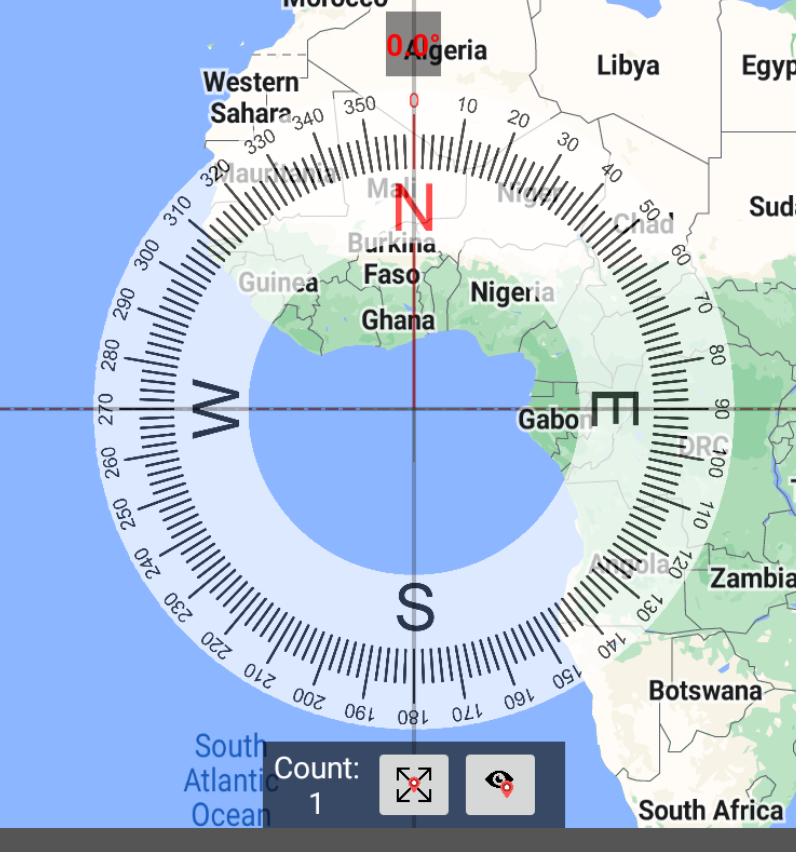
  • Big Compass with heading value

  • Speedometer with direction bearing.


We are looking to add more features soon, but we will be awaiting more feedback through the Contact Us page before we proceed.


Oct 2, 2023

Look like we didn’t want to wait and simply continue working on the app!

  • We are delighted to tell you that the app is now fully translated into every language without any missing translations.

  • And it’s now possible to import a photo and get its coordinates value just like one in the iOS version